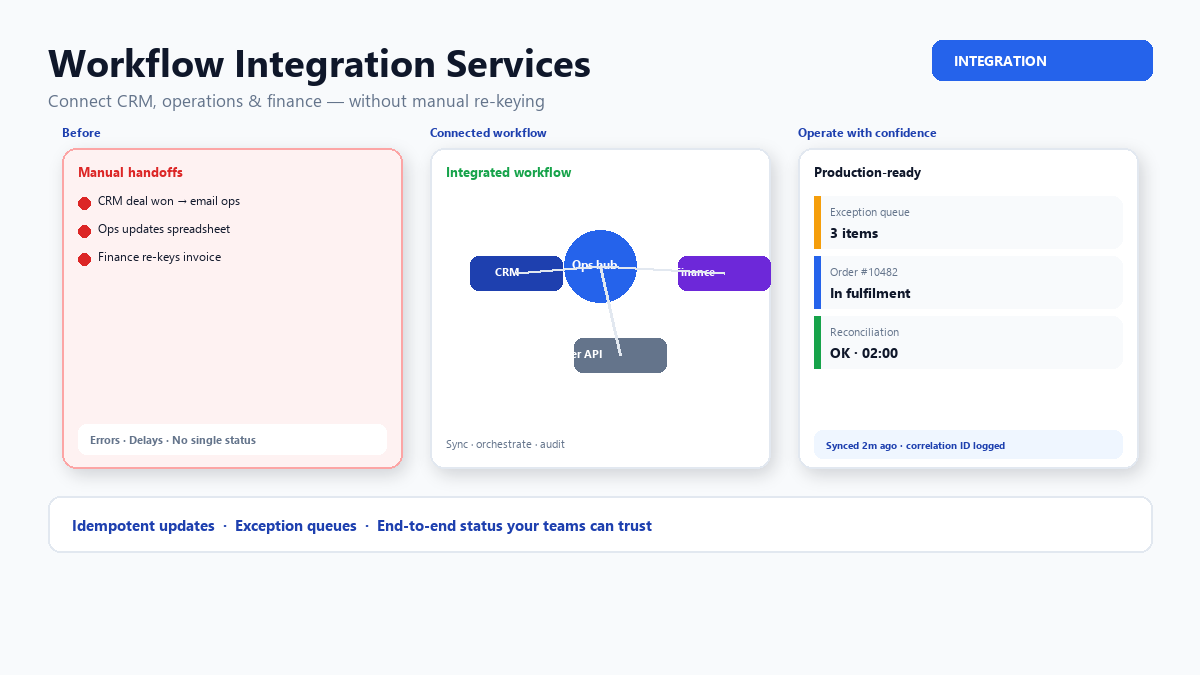
Most integration pain is not “we need an API.” It is “won won the deal in CRM, but fulfilment still re-types the order,” or “finance finds out about scope changes a week late.” Those are workflow problems: several systems, several owners, and no single place that shows status end to end.
This guide explains what good workflow integration services cover, how to design handoffs that survive real operations, and how that differs from buying another connector tool. For technical pattern choices (ESB, gateway, events), see our enterprise API integration patterns article; this piece stays closer to the business process. For delivery, see integration and automation services.
What workflow integration is (and is not)
Workflow integration means automating the movement of work between systems as a process advances — create customer, raise order, allocate stock, trigger invoice, notify partner — with rules about timing, validation, and exceptions.
It is not:
- A one-off CSV export every Friday (that is batch reporting)
- Replacing your ERP with a spreadsheet because “integration is hard”
- Buying iPaaS connectors without mapping who owns each step when something fails
It is agreeing the canonical record for each entity (customer, order, asset), defining events or triggers at each stage, and giving operations a way to see and fix stuck items without developer intervention every time.
Map the handoffs before you choose tools
Start with a simple swimlane for one high-value journey — for example quote-to-cash or case-to-resolution:
- List each step, the system of record, and the human decision (if any)
- Note data created or updated at each step (fields, documents, status codes)
- Mark where teams today copy-paste, export/import, or maintain shadow spreadsheets
- Identify external parties (suppliers, regulators, clients) that need visibility or files
Our guide on mapping processes before automation uses a lightweight version of this exercise. Workflow integration should remove the red “manual bridge” boxes first — they are where errors and delays concentrate.
Sync, orchestration, and human-in-the-loop
Three patterns appear in almost every programme:
- Data sync — keep master data aligned (accounts, products, price lists). Usually scheduled or event-triggered, idempotent, with conflict rules when two systems disagree.
- Process orchestration — when step B must not run until step A succeeds and approvals are recorded. Often implemented with a workflow engine, custom service, or careful saga design in code.
- Human-in-the-loop — integration pauses for approval, exception handling, or data the system cannot infer. The workflow must resume reliably after the human acts.
Teams often over-automate approvals on day one. A practical approach is to integrate the happy path first, keep a visible exception queue for edge cases, and tighten automation once you understand volume and failure modes.
Design for failure from the first release
Production workflow integrations fail in predictable ways: API rate limits, duplicate webhooks, partial outages, schema changes, and “helpful” users editing records in two places.
Minimum standards we apply on workflow projects:
- Idempotency — repeating the same message does not create duplicate orders or payments
- Retries with backoff — transient errors recover without manual restarts
- Dead-letter or exception queue — failed items land somewhere searchable with payload context
- Correlation IDs — support can trace one customer issue across systems in logs
- Reconciliation job — nightly or hourly compare counts/ totals between systems and flag drift
Without these, the integration “works” in UAT and erodes trust in the first busy week.
Ownership, security, and data boundaries
Workflow integration touches sensitive data and blurs team boundaries. Clarify early:
- Which system is authoritative for customer identity, pricing, inventory, and financial postings
- Which roles may trigger cross-system actions (refunds, credit notes, status overrides)
- How PII and audit requirements apply to logs and exception queues
- Who operates the integration on call — often a shared ops + integration team, not “whoever built it once”
If partners or clients receive automated updates, treat outbound messages as product features: versioning, consent, and unsubscribe or portal preferences where relevant.
Phasing delivery without boiling the ocean
Strong programmes ship in thin vertical slices:
- Slice 1 — one journey, one direction (e.g. won opportunity → fulfilment work order) with exception handling
- Slice 2 — status back-feed and customer-visible milestone (portal or notification)
- Slice 3 — financial posting, inventory, or compliance reporting tied to the same correlation model
Each slice should be measurable — reduced re-key time, fewer status enquiry calls, faster invoice cycle. Pair integration with operational metrics so improvements are visible to leadership.
When custom software enters the picture
Sometimes no SaaS connector fits because your differentiator is the workflow — bespoke quoting rules, asset lifecycle, regulated approvals. In that case workflow integration often includes a custom application as the orchestration hub or client-facing portal, with ERP/CRM as systems of record.
That is a build decision; use build vs buy thinking for the hub, but still integrate with the same idempotency and exception standards — custom code does not get a pass on operations.
Conclusion
Workflow integration services succeed when they follow real handoffs, assign ownership for exceptions, and ship in slices with measurable outcomes. Tools matter, but the hard part is agreeing how work moves between teams and systems — then making that movement observable and recoverable when something breaks.
Stuck between CRM, ops and finance?
We design and deliver workflow integrations — and custom hubs where needed — that your operations team can run with confidence.