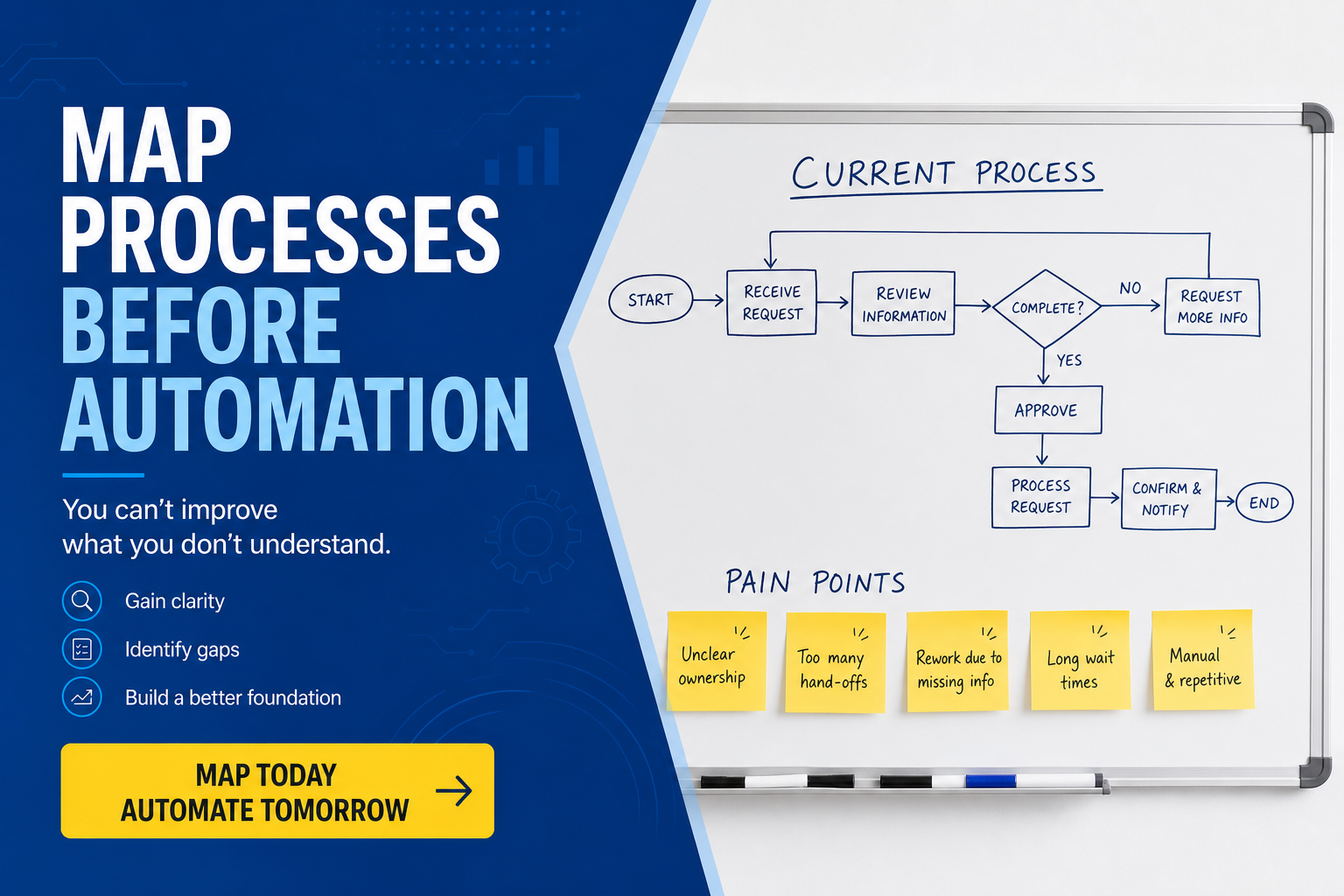
Teams under pressure to "do automation" often jump straight to tool selection — RPA platforms, workflow engines, AI copilots — without understanding how work actually flows through the organisation. The result is expensive software that encodes inefficiency, workarounds, and duplicate steps at scale.
This article explains why process mapping should precede any automation investment, and how to do it practically without a six-month consultancy engagement. For end-to-end support, see our business process optimisation service.
The cost of automating first
Common failure patterns when mapping is skipped:
- Automating workarounds — the process map reveals that three manual steps exist because two systems do not integrate; automation cements the workaround instead of fixing the root cause
- Duplicate effort at speed — two teams perform the same validation because neither knew the other existed; automation makes both faster but not cheaper
- Exception handling gaps — the happy path is automated, but 30% of cases need manual intervention with no clear routing
- Compliance blind spots — an approval step that exists for audit purposes gets removed because nobody documented why it was there
Fixing these after automation is deployed costs far more than mapping upfront. You are not just changing a process — you are re-engineering software, retraining users, and migrating data.
What process mapping actually means
Process mapping is not bureaucracy. It is creating a shared, visual representation of how work gets done — who does what, in what order, with which systems, and under which conditions.
A useful process map includes:
- Trigger — what starts the process (customer request, scheduled job, system event)
- Steps — each action, decision, and handoff
- Actors — roles or teams responsible for each step
- Systems — applications, spreadsheets, and tools involved
- Inputs and outputs — documents, data fields, and artefacts at each stage
- Exceptions — what happens when the standard path does not apply
- Metrics — cycle time, error rate, volume per period
You do not need BPMN certification or enterprise tooling. A whiteboard session, a Lucidchart diagram, or even a structured spreadsheet can be enough for a first pass.
How to map a process in practice
Follow these steps for a focused, useful outcome:
- Pick one high-impact process — frequent, painful, and visible to leadership (e.g. order fulfilment, onboarding, invoice processing)
- Involve the people who do the work — not just managers; front-line staff know where the real bottlenecks are
- Map the current state first — resist the urge to design the ideal process during the discovery session
- Walk through real examples — use recent cases, including ones that went wrong
- Time the steps — even rough estimates reveal where effort concentrates
- Identify value vs waste — which steps directly serve the customer or meet compliance, and which exist because of historical habit?
From map to improvement priorities
Once the current state is documented, categorise each step:
- Eliminate — redundant approvals, duplicate data entry, steps that add no value
- Simplify — reduce handoffs, merge roles, standardise inputs
- Automate — repetitive, rule-based steps with stable inputs and low exception rates
- Integrate — connect systems so data flows without manual re-entry
- Redesign — fundamentally rethink the process when incremental fixes are insufficient
Only steps in the "automate" and "integrate" categories should proceed to tool selection. Everything else should be addressed through process change first.
Signs a process is ready for automation
Before investing in RPA, workflow tools, or custom development, confirm:
- The process is stable — it does not change every month
- Rules are explicit — "if X then Y" can be written down without "it depends"
- Volume justifies the investment — automating something that happens twice a year rarely pays off
- Exception rate is manageable — below 20% manual intervention is a reasonable starting threshold
- Data inputs are structured — PDFs and free-text emails are harder to automate reliably
- Stakeholders agree on the mapped process — no unresolved disputes about who owns what
Keeping maps alive
A process map is not a one-off deliverable. Assign an owner, review quarterly, and update when systems, regulations, or team structures change. Maps that go stale become actively misleading — worse than no map at all.
For broader operational context, see our article on SME business operations support, which covers how growing businesses can structure back-office functions before scaling automation.
Conclusion
Automation is a multiplier — it amplifies whatever process you give it, good or bad. Mapping processes first ensures you automate the right steps, eliminate waste before encoding it, and build a foundation that integration and AI tools can extend later. The hour spent on a whiteboard saves months of rework on a platform that automated the wrong thing beautifully.
Want to optimise before you automate?
We map business processes, identify improvement opportunities, and deliver automation that targets real bottlenecks — not symptoms.